


Selbst ein schöner Schreibtisch kann zu verspannten Schultern, müden Handgelenken und jenem bekannten Schmerz zwischen den Schulterblättern am späten Nachmittag führen. Genau hier kommt ein Leitfaden für ergonomisches Schreibtischzubehör wirklich zum Tragen. Das richtige Zubehör dient nicht nur der Dekoration des Arbeitsplatzes – es verändert auch, wie sich Ihr Körper im Laufe des Tages bewegt, wie lange Sie bequem sitzen können und wie gut Ihr Schreibtisch konzentriertes Arbeiten unterstützt.
Für die meisten Menschen liegt das Problem nicht in einem einzigen gravierenden Mangel, sondern in einer Reihe kleiner Unstimmigkeiten. Ein Bildschirm, der zu tief hängt. Ein Stuhl, der zwar passt, aber nicht ganz. Eine Tastatur, die ein paar Zentimeter zu weit vorne steht. Mit der Zeit summieren sich diese Details. Gutes ergonomisches Zubehör beseitigt diese kleinen Reibungspunkte, und das beste Zubehör tut dies, ohne die optische Ruhe eines gut gestalteten Arbeitsplatzes zu beeinträchtigen.
Was ergonomisches Schreibtischzubehör tatsächlich bewirkt
Ergonomie wird oft auf die Körperhaltung reduziert, doch das eigentliche Ziel ist einfacher und praktischer: dem Körper zu helfen, mit weniger Belastung zu arbeiten. Zubehör ist wichtig, da es das Zusammenspiel zwischen Schreibtisch, Stuhl, Bildschirm, Armen und Füßen optimal abstimmt. Selbst ein hervorragender Schreibtisch kann nicht alles alleine leisten.
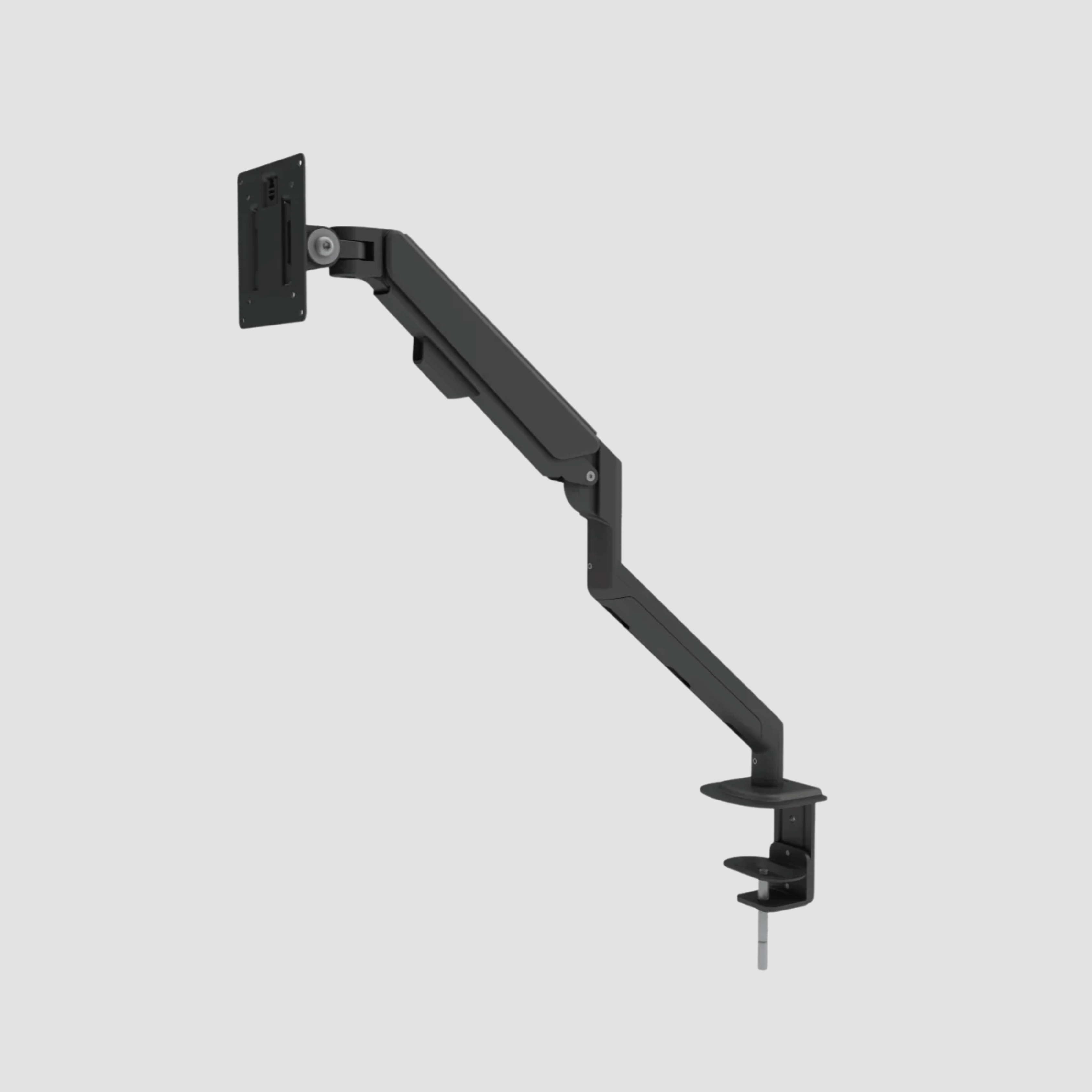
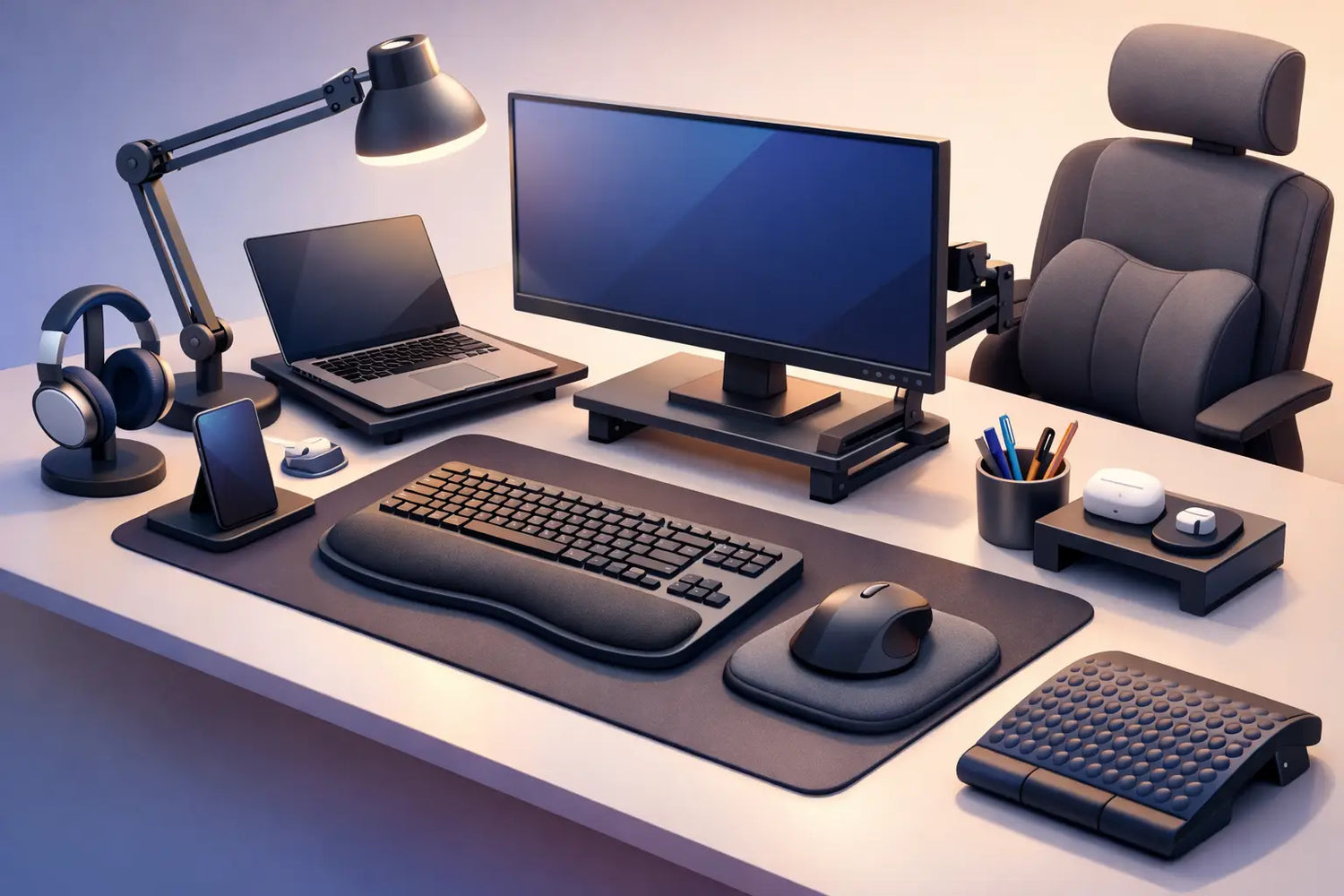
Ein Monitorarm beispielsweise bringt den Bildschirm auf Augenhöhe und schafft Platz auf dem Schreibtisch. Eine Fußstütze sorgt für eine korrekte Beinposition, wenn Schreibtisch und Stuhl nicht perfekt aufeinander abgestimmt sind. Eine Schreibtischunterlage kann Kontaktstellen abfedern und einen übersichtlicheren Bereich für die Platzierung von Tastatur und Maus schaffen. Dabei handelt es sich nicht um luxuriöse Extras im Sinne von Wegwerfartikeln. Es sind Anpassungen, die dafür sorgen, dass sich ein Arbeitsplatz durchdacht anfühlt.
Auch in gestalterischer Hinsicht gibt es einen Vorteil. In einem hochwertigen Arbeitsbereich sollten Accessoires harmonisch in das Gesamtbild eingebunden wirken und nicht wie ein nachträglicher Einfall. Materialien, Oberflächen und Proportionen spielen eine wichtige Rolle. Wenn Ihr Schreibtisch aus massiver Eiche gefertigt ist, können Accessoires aus viel Kunststoff, die wie typische Büroartikel aussehen, das gesamte Ambiente beeinträchtigen. Ergonomie und ästhetische Kohärenz sollten nicht als getrennte Entscheidungen betrachtet werden.
Leitfaden für ergonomisches Schreibtischzubehör für den Arbeitsalltag
Am besten fängt man mit den Accessoires an, die sich am unmittelbarsten auf die Körperhaltung auswirken. Bei vielen Homeoffice-Einrichtungen ist das in erster Linie der Bildschirm.
Monitorarme und Bildschirmausrichtung
Wenn Sie den Großteil Ihres Tages damit verbringen, auf einen Laptop oder Monitor zu schauen, ist die Höhe des Bildschirms einer der wichtigsten Faktoren für den Komfort im Nackenbereich. Ein zu tief sitzender Bildschirm begünstigt eine nach vorne geneigte Kopfhaltung. Man beugt sich leicht nach vorne und behält diese Haltung dann stundenlang bei. Das fühlt sich zunächst harmlos an – bis es irgendwann nicht mehr so ist.
Ein Monitorarm ermöglicht eine feinere Einstellung als ein herkömmlicher Ständer. Je nach Aufgabe können Sie den Bildschirm anheben, näher heranziehen oder weiter nach hinten schieben. Das ist wichtiger, als viele Menschen vermuten. Lesen, Schreiben, Bearbeiten und Videogespräche erfordern nicht immer genau dieselbe Bildschirmposition.
Wenn Sie einen Laptop als Hauptcomputer nutzen, ist ein Laptopständer zwar hilfreich, aber nur, wenn Sie ihn mit einer externen Tastatur und Maus kombinieren. Andernfalls fixieren Sie den Neigungswinkel des Halses und verursachen einen ungünstigeren Winkel für die Handgelenke. Dieser Kompromiss ist bei kleinen Arbeitsplätzen häufig anzutreffen und sollte vermieden werden.
Tastaturablagen, Handgelenkstützen und Anordnung der Eingabegeräte
Die Position von Tastatur und Maus wirkt sich gleichzeitig auf Schultern, Ellbogen und Handgelenke aus. Sind sie zu hoch, ziehen sich Ihre Schultern nach oben. Sind sie zu weit entfernt, beugen Sie sich den ganzen Tag nach vorne. Sind sie zu eng beieinander, neigen sich Ihre Handgelenke nach außen.
Bei den meisten modernen Schreibtischen ist eine separate Tastaturablage nicht immer notwendig, insbesondere wenn sich die Schreibtischhöhe richtig einstellen lässt. Eine Handgelenkstütze kann jedoch hilfreich sein, wenn sie eine neutrale Handhaltung fördert, anstatt Druck auf das Handgelenk selbst auszuüben. Bei den besten Arbeitsplätzen bleiben Ihre Unterarme entspannt, Ihre Ellbogen liegen nah am Körper an und Ihre Hände bewegen sich ganz natürlich über die Schreibtischoberfläche.
Auch hier kann eine größere Schreibtischunterlage Abhilfe schaffen. Sie schafft einen stabilen Arbeitsbereich und verringert die Reibung durch ständige Mausbewegungen. Auf einem edlen Schreibtisch aus Eiche schützt sie zudem die Oberfläche und sorgt gleichzeitig dafür, dass Ihre Accessoires ruhiger und bewusster platziert wirken.
Fußstützen und Stützen für den Unterkörper
Fußstützen werden oft übersehen, weil sie als nebensächlich erscheinen, doch die Stützung des Unterkörpers beeinflusst die gesamte Sitzhaltung. Wenn Ihre Füße nicht bequem auf dem Boden aufliegen, baut sich Druck unter den Oberschenkeln auf, und die Hüften können in eine ungünstige Position kippen.
Eine Fußstütze ist besonders nützlich für kleinere Nutzer, bei gemeinsam genutzten Schreibtischen oder in allen Situationen, in denen Stuhl- und Schreibtischhöhe nicht perfekt aufeinander abgestimmt sind. Das ist kein Zeichen dafür, dass der Schreibtisch nicht passt. Es ist einfach eine Möglichkeit, eine präzisere Anpassung zu erreichen. Der bessere Ansatz besteht darin, Ergonomie als etwas Anpassbares zu betrachten und nicht als Einheitslösung.
Schreibtischlampen und Sehkomfort
Auch die Beleuchtung ist ein ergonomisches Hilfsmittel, auch wenn sie nicht immer als solches bezeichnet wird. Schlechte Lichtverhältnisse führen dazu, dass man sich näher an den Bildschirm beugt, bei Dokumenten die Augen zusammenkneift und schneller ermüdet. Eine gute Schreibtischlampe sorgt für klare Sicht, ohne grell zu blenden.
Bei der Arbeitsbeleuchtung ist die einstellbare Lichtrichtung wichtiger als die Helligkeit allein. Auch die Lichtfarbe spielt eine Rolle. Ist das Licht zu kalt und klinisch, kann der Arbeitsbereich steril wirken. Ist es zu schwach, dient die Lampe eher als Dekoration denn als nützliches Hilfsmittel. Die besten Schreibtischlampen wirken präzise und ruhig und bieten Funktionalität ohne visuelle Ablenkung.
Das Zubehör, das Bewegung und Fluss verbessert
Ein gut gestalteter Arbeitsplatz sollte Bewegung fördern und nicht nur eine feste Sitzposition vorgeben. Das gilt insbesondere, wenn Sie einen höhenverstellbaren Schreibtisch verwenden.
Anti-Ermüdungsmatten für stehende Tätigkeiten
Wenn Sie regelmäßig stehen, ist eine Anti-Ermüdungsmatte eine der sinnvollsten Anschaffungen, die Sie tätigen können. Langes Stehen auf einem harten Boden kann zu Belastungen in den Füßen, Knien und im unteren Rückenbereich führen – selbst bei einem hervorragenden Schreibtisch.
Eine hochwertige Matte fördert sanfte Bewegungen und verringert Ermüdungserscheinungen. Sie macht das Stehen zwar nicht mühelos und ersetzt auch nicht den regelmäßigen Positionswechsel im Laufe des Tages, macht Stehphasen jedoch realistischer und angenehmer. Für alle, die in eine hochwertige Sitz-Steh-Lösung investieren, ist sie in der Regel von Anfang an ein Thema.
Kabelmanagement als ergonomische Entscheidung
Die Kabelführung wird oft als optisches Problem betrachtet, hat aber auch ergonomische Auswirkungen. Lose Kabel schränken die Bewegungsfreiheit am Schreibtisch ein, verringern den nutzbaren Beinfreiraum und sorgen für Unordnung, die im täglichen Gebrauch unmerklich zu Reibungsverlusten führt.
Eine durchdachte Kabelrinne oder ein Kabelorganisator sorgt für Ordnung bei der Technik und ermöglicht es, den Schreibtisch wie vorgesehen zu nutzen. Das ist bei höhenverstellbaren Gestellen umso wichtiger, da eine schlechte Kabelführung dort schnell zu Frust führt. Reibungslose Bewegungsabläufe sind Teil eines ergonomischen Designs.
So wählt man aus, ohne zu viel zu kaufen
Nicht jedes Accessoire verdient einen Platz auf Ihrem Schreibtisch. Die effektivsten Arbeitsumgebungen sind in der Regel übersichtlich und nicht überladen.
Beginnen Sie mit Ihren aktuellen Beschwerden. Wenn sich Ihr Nacken angespannt anfühlt, sollten Sie der Höhe des Bildschirms Priorität einräumen. Wenn Handgelenke und Schultern schmerzen, überprüfen Sie die Position von Tastatur und Maus. Wenn Ihnen das Stehen schwerer fällt als erwartet, sollten Sie eine Bodenstütze in Betracht ziehen. Der Kauf mehrerer Accessoires auf einmal kann zwar ein Problem lösen, führt aber möglicherweise auch zu einem Schreibtisch voller Gegenstände, die die eigentliche Ursache nicht beheben.
Auch die Materialqualität verdient Beachtung. Ein Accessoire wird täglich benutzt, oft über Jahre hinweg. Billige Verarbeitungen nutzen sich schnell ab, Mechanismen lockern sich, und Oberflächen wirken mit der Zeit minderwertig. In einem Arbeitsbereich, der auf Langlebigkeit ausgelegt ist, fallen diese Details besonders ins Auge. Bessere Materialien sehen nicht nur am ersten Tag besser aus. Sie altern auch auf natürlichere Weise.
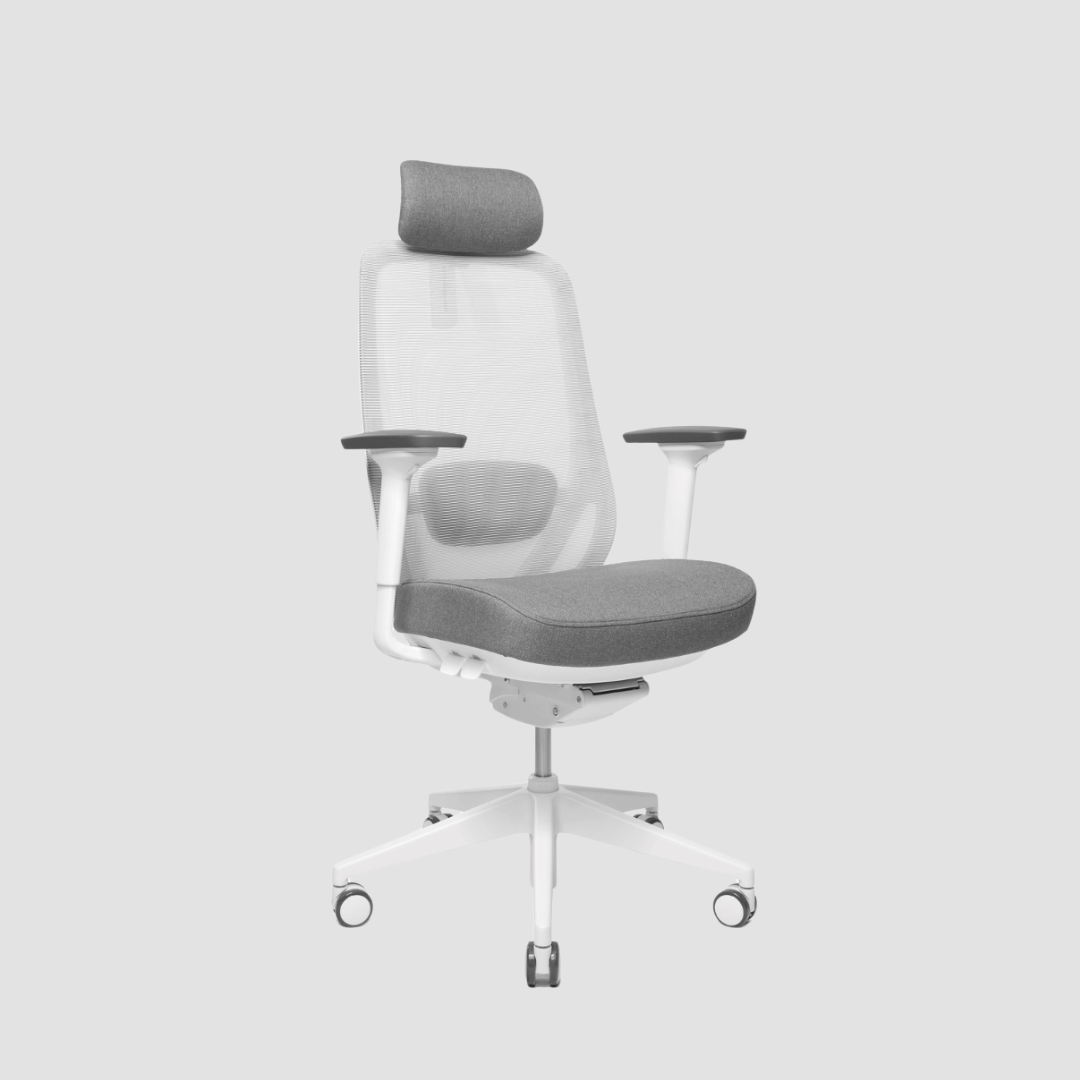
Genau hier kommt es auf ein stimmiges Gesamtkonzept an. Ein Schreibtisch aus massiver Eiche, ein bequemer Stuhl, ein fachgerecht konstruierter Monitorarm und dezentes Zubehör ergänzen sich perfekt. Jedes Einzelstück sollte seinen Platz sowohl durch seine Funktion als auch durch seine Ausstrahlung verdienen. OAKO Denmark geht den Arbeitsbereich genau in diesem Sinne an – dort, wo Eiche auf Technologie trifft und praktische Ergonomie mit derselben Sorgfalt gestaltet wird wie die Materialien selbst.
Ein paar Kompromisse, die man kennen sollte
Es gibt keine einheitliche, für jeden Menschen perfekte Einrichtung. Ein minimalistischer Schreibtisch kann zwar hervorragend aussehen, doch wenn Ihr Bildschirm dadurch zu tief liegt oder Ihre Handgelenke nicht richtig gestützt werden, hat diese Schönheit ihren Preis. Andererseits kann ein Schreibtisch, der mit zahlreichen verstellbaren Accessoires überladen ist, technisch und überfüllt wirken.
Diese Balance ist individuell. Designer und Kreative legen möglicherweise Wert auf visuelle Ruhe, da die Umgebung die Konzentration beeinflusst. Menschen mit bestehenden Rücken- oder Nackenschmerzen benötigen möglicherweise einen stärkeren Fokus auf die Funktionalität. Keiner der beiden Ansätze ist falsch. Das beste Ergebnis ist in der Regel ein Arbeitsplatz, der Ruhe ausstrahlt, leistungsfähig ist und sich ohne ständige Anpassungen leicht bedienen lässt.
Es hängt auch davon ab, wie Sie arbeiten. Wenn Sie häufig zwischen Aufgaben, die Sie ausschließlich am Laptop erledigen, und der Arbeit am externen Monitor wechseln, ist Flexibilität wichtig. Wenn Ihr Schreibtisch gleichzeitig als Besprechungsbereich oder gemeinsamer Wohnraum dient, sind Zubehörteile mit geringerem Platzbedarf sinnvoller. Ergonomie sollte sich am Alltag orientieren, nicht an einem idealisierten Büro-Schema.
Das beste ergonomische Zubehör ist das, das man auch wirklich benutzt.
Man ist leicht versucht, ergonomische Verbesserungen als Endziel zu betrachten. Man kauft die richtigen Produkte, platziert sie ordentlich – und schon ist das Problem mit dem Arbeitsplatz gelöst. In Wirklichkeit entfalten Zubehörteile ihre beste Wirkung, wenn sie die eigenen Gewohnheiten unterstützen. Ein Monitorarm hilft nur, wenn man ihn richtig einstellt. Eine Stehmatte hilft nur, wenn man die Körperhaltung abwechselnd ändert. Eine Fußstütze hilft nur, wenn die gesamte Einrichtung darauf abgestimmt ist.
Wählen Sie also weniger Dinge aus, aber wählen Sie sie sorgfältig aus. Suchen Sie nach Accessoires, die den Schreibtisch darunter schonen, den Körper unauffällig stützen und so gebaut sind, dass sie Jahre statt nur Monate halten. Wenn der Arbeitsplatz durchdacht gestaltet ist, fällt der Komfort auf die bestmögliche Weise kaum noch auf. Man denkt nicht mehr über Belastungen nach und kann sich ganz auf die Arbeit konzentrieren.


Hinterlasse einen Kommentar
Diese Website ist durch hCaptcha geschützt und es gelten die allgemeinen Geschäftsbedingungen und Datenschutzbestimmungen von hCaptcha.