


Ein Schreibtisch aus massiver Eiche entfaltet seinen Charakter in den kleinen Momenten: wenn der erste Kaffee neben das Notizbuch gestellt wird, wenn das Licht sanft über die Maserung tanzt, wenn sich die Spuren eines Arbeitstages abzeichnen. Zu wissen, wie man Schreibtische aus Eiche pflegt, bedeutet, diesen Charakter zu bewahren, ohne zu versuchen, Naturholz dazu zu bringen, sich wie Kunststoff zu verhalten. Eiche ist robust, widerstandsfähig und für den langfristigen Gebrauch geschaffen, reagiert jedoch am besten auf ruhige, beständige Pflege.
Ein gut gefertigter Schreibtisch aus Eiche sollte keine ständige Pflege erfordern. Mit ein paar guten Gewohnheiten bleibt die Oberfläche sauber, gepflegt und bereit für jahrelanges konzentriertes Arbeiten – ganz gleich, ob er in einer hellen Kopenhagener Wohnung oder in einem geschäftigen professionellen Atelier steht.
So pflegen Sie Eichenholz-Schreibtische im Alltag
Die einfachste Regel ist zugleich die wichtigste: Verschüttetes sollte umgehend entfernt werden. Wasser, Kaffee und Essensreste sollten mit einem weichen, trockenen oder leicht feuchten Tuch abgewischt werden, bevor sie Zeit haben, in die Oberfläche einzudringen. Dies gilt insbesondere für die Ränder eines Laptops, den Bereich unter einer Wasserflasche oder die Stelle, an der eine Kaffeetasse den ganzen Tag über steht.
Verwenden Sie für den alltäglichen Staub ein sauberes Mikrofasertuch. Staub mag harmlos aussehen, doch wenn er wiederholt unter einer Tastatur, einem Monitorständer oder einer Schreibtischunterlage hin- und hergeschoben wird, kann er wie ein mildes Schleifmittel wirken. Ein kurzes Abwischen ein- bis zweimal pro Woche hält die Oberfläche sauber und verhindert, dass sie zu früh stumpf und abgenutzt aussieht.
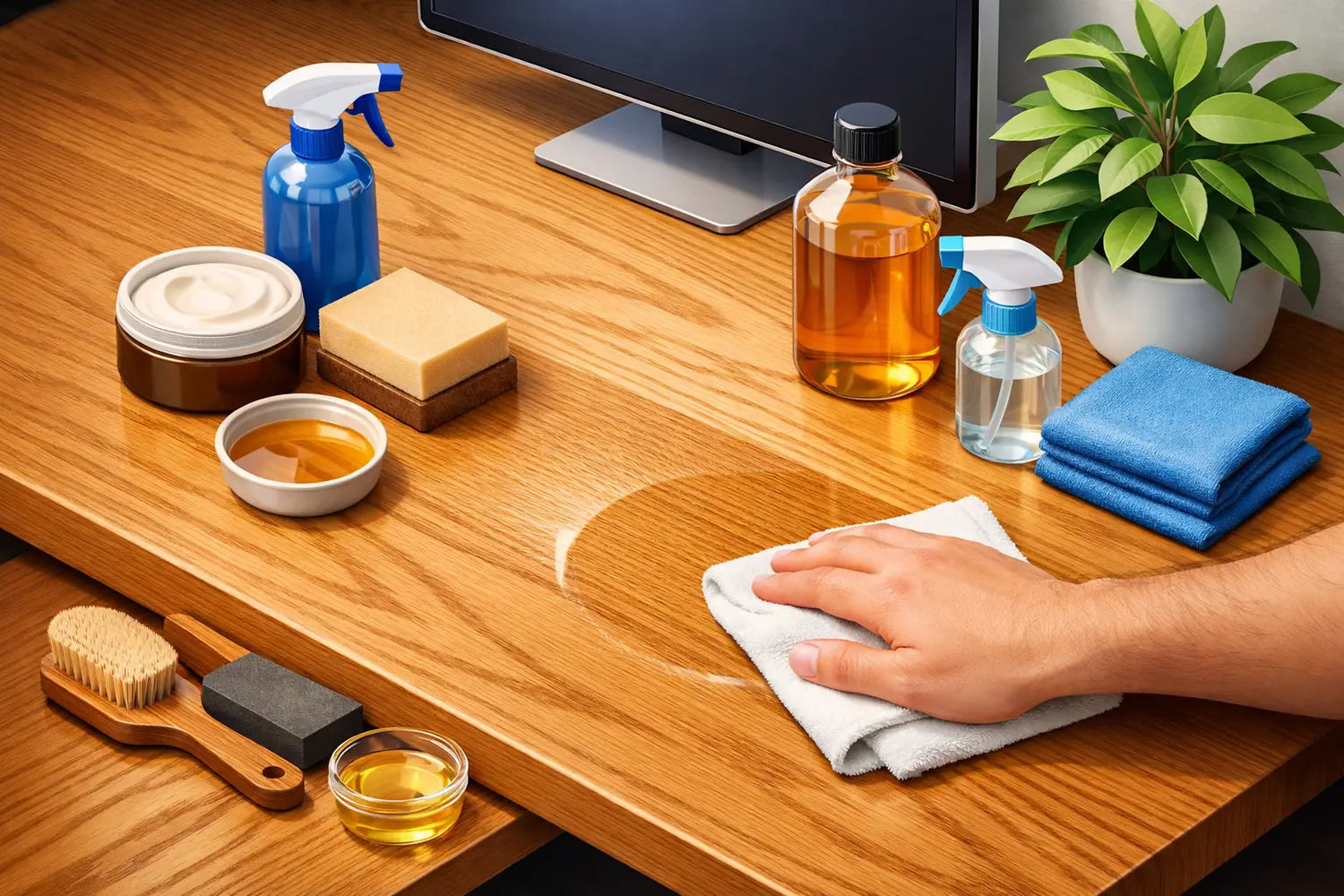
Wenn der Schreibtisch mehr als nur abgestaubt werden muss, verwenden Sie ein Tuch, das Sie gründlich in lauwarmem Wasser mit einer sehr geringen Menge milder, pH-neutraler Seife ausgewrungen haben. Wischen Sie in Richtung der Maserung und trocknen Sie die Oberfläche anschließend sofort mit einem zweiten Tuch ab. Das Ziel ist es, das Holz zu reinigen, nicht es durchnässen. Eiche verträgt den Alltag hervorragend; stehendes Wasser ist jedoch eine andere Sache.
Vermeiden Sie Allzwecksprays, Glasreiniger, Bleichmittel, alkoholhaltige Desinfektionsmittel und scheuernde Reinigungscremes. Diese können dem Holz die natürliche Fettschicht entziehen, einen trüben Film hinterlassen oder das Holz unnötig austrocknen. Sollte nach einem versehentlichen Verschütten eine gründlichere Reinigung erforderlich sein, testen Sie das Produkt zunächst an einer unauffälligen Stelle und verwenden Sie so wenig wie möglich davon.
Schützt die Orte, an denen gearbeitet wird
Ein Schreibtisch ist kein Ausstellungsregal. Er sollte für lange Arbeitsphasen, echte Arbeitsgeräte und das gelegentliche schnelle Mittagessen geeignet sein. Schutzmaßnahmen sind am wirksamsten, wenn sie in die Art und Weise integriert sind, wie Sie den Arbeitsbereich nutzen, anstatt erst nachträglich hinzugefügt zu werden.
Legen Sie unter heiße Getränke einen Untersetzer und unter Tastatur, Maus und Schreibbereich eine Schreibtischunterlage. Ebenso empfehlenswert sind Filzgleiter unter Monitorarmen, Lautsprechern, Schreibtischlampen und Aufbewahrungszubehör. Sie verhindern, dass kleine Bewegungen im Laufe der Zeit Druckstellen oder feine Kratzer verursachen, während die Eiche rund um den Arbeitsbereich weiterhin sichtbar bleibt.
Seien Sie besonders vorsichtig mit Hitze. Eine Tasse Tee stellt selten ein Problem dar, wenn sie auf einem Untersetzer steht, doch heiße Behälter, Haarstylinggeräte und Ladegeräte, die sich ungewöhnlich stark erwärmen, sollten nicht direkt auf der Arbeitsplatte abgestellt werden. Hitze kann die Schutzschicht angreifen und blasse Ringe hinterlassen, die sich viel schwerer beseitigen lassen, als sie zu vermeiden.
Scharfe Gegenstände verdienen denselben Respekt. Schneiden Sie Papier, öffnen Sie Pakete und arbeiten Sie an Bastelprojekten – legen Sie dabei eine Schutzunterlage darunter. Wenn Sie Ihren Stehschreibtisch zum Skizzieren, Fotografieren oder für Produktmuster nutzen, wählen Sie eine große Unterlage aus Leder, Wolle oder Kork, die zur Oberfläche passt, anstatt diese vollständig mit synthetischem Material zu bedecken. Der Schreibtisch sollte praktisch bleiben, aber sein Material verdient es, spürbar zu sein.
Informieren Sie sich über die Oberflächenbeschaffenheit, bevor Sie das Öl auftragen
Nicht jede Eichenholz-Arbeitsplatte erfordert die gleiche Pflege. Die richtige Vorgehensweise hängt davon ab, ob die Oberfläche mit Hartwachsöl, herkömmlichem Öl, Lack oder einer anderen Schutzbehandlung versiegelt wurde. Eine geölte Oberfläche ist so konzipiert, dass sie im Laufe der Zeit aufgefrischt werden kann. Eine lackierte Oberfläche ist versiegelt und sollte in der Regel nicht mit Pflegeöl behandelt werden, es sei denn, der Hersteller der Beschichtung empfiehlt dies ausdrücklich.
Diese Unterscheidung ist wichtig. Das Auftragen von Öl auf eine versiegelte Lackoberfläche versorgt das darunterliegende Holz nicht mit Nährstoffen und kann zu einer klebrigen oder unebenen Oberfläche führen. Wenn Sie sich unsicher sind, lesen Sie die mit Ihrem Schreibtisch mitgelieferten Pflegehinweise oder fragen Sie den Hersteller, bevor Sie etwas auftragen. Eine gute Pflege beginnt damit, zu wissen, was sich auf dem Holz befindet.
Bei einer Tischplatte aus massiver Eiche mit einer Öloberfläche sind die Anzeichen dafür, dass eine Auffrischung fällig sein könnte, kaum wahrnehmbar. Die Oberfläche kann an den Stellen, die am stärksten beansprucht werden, trocken oder uneben wirken. Wasser perlt möglicherweise nicht mehr leicht von der Oberfläche ab, sondern lässt das Holz für einen Moment dunkler erscheinen. Dies ist ein nützliches Signal, eine Auffrischung zu planen, und kein Anzeichen dafür, dass der Schreibtisch seinen Zweck nicht mehr erfüllt.
Eine geölte Eichenoberfläche auffrischen
In einem typischen Heimbüro muss eine geölte Schreibtischplatte möglicherweise alle sechs bis zwölf Monate aufgefrischt werden. Dies hängt von der Nutzung, der Sonneneinstrahlung, der Luftfeuchtigkeit im Raum und der Häufigkeit der Reinigung ab. Ein Schreibtisch, der täglich neben einem sonnigen Fenster genutzt wird, muss möglicherweise früher gepflegt werden als einer in einem wenig frequentierten Besprechungsraum.
Beginnen Sie damit, den Schreibtisch vollständig zu reinigen. Wischen Sie ihn mit einem leicht angefeuchteten Tuch und milder Seife ab und lassen Sie ihn anschließend vollständig trocknen. Die Oberfläche muss trocken sein, bevor das Öl aufgetragen wird. Bei kleinen, abstehenden Fasern oder sehr leichten Oberflächenmarkierungen kann ein sanftes Abschleifen von Hand mit einem feinen Schleifpad oder feinkörnigem Schleifpapier helfen; dabei sollten Sie stets der Maserung folgen. Schleifen Sie nicht zu kräftig. Das Ziel ist es, die Oberfläche zu glätten, nicht ihre Geschichte zu entfernen.
Tragen Sie ein geeignetes Möbelpflegeöl mit einem fusselfreien Tuch oder Schwamm in einer sehr dünnen, gleichmäßigen Schicht auf. Arbeiten Sie systematisch in Richtung der Maserung und achten Sie besonders auf die Kanten, die häufig durch Arme und Hände stärker beansprucht werden. Lassen Sie das Öl gemäß der Produktanleitung einziehen und wischen Sie anschließend überschüssiges Öl mit einem sauberen Tuch ab. Wenn überschüssiges Öl auf dem Holz verbleibt, kann dies zu klebrigen Stellen und einem ungleichmäßigen Glanz führen.
Lassen Sie ausreichend Aushärtungszeit verstreichen, bevor Sie schweres Gerät wieder auf den Arbeitstisch stellen. Dies kann je nach Öl und Raumbedingungen über Nacht oder länger dauern. Sorgen Sie für eine gute Belüftung des Raums und gehen Sie mit ölgetränkten Tüchern gemäß den Sicherheitshinweisen des Ölherstellers vorsichtig um. Sie dürfen niemals zerknüllt auf einem Haufen liegen gelassen werden.
Licht, Feuchtigkeit und die natürliche Bewegung von Eichenholz
Massive Eiche ist im besten Sinne des Wortes lebendig. Sie reagiert allmählich auf ihre Umgebung und dehnt sich bei Feuchtigkeitsschwankungen aus bzw. zieht sich zusammen. Das ist ganz normal und einer der Gründe, warum sich ein hochwertiger Schreibtisch aus Massivholz so anders anfühlt als ein Modell aus Laminat.
Versuchen Sie, im Arbeitsbereich ein stabiles Raumklima aufrechtzuerhalten. Extrem trockene Heizungsluft im Winter und anhaltende Feuchtigkeit im Sommer können das Holz stärker belasten als normale jahreszeitliche Schwankungen. Sie müssen sich nicht auf einen bestimmten Wert versteifen, aber wenn Sie starke Schwankungen bei Temperatur und Luftfeuchtigkeit vermeiden, tragen Sie dazu bei, die Lebensdauer des Schreibtisches zu verlängern.
Auch direktes Sonnenlicht verändert Eichenholz. Mit der Zeit entwickelt das Holz einen tieferen, wärmeren Farbton und wird oft satter und goldfarbener. Diese Patina ist Teil des Reizes von echtem Holz. Drehen Sie die Accessoires auf dem Schreibtisch gelegentlich, damit nicht Jahr für Jahr derselbe Bereich im Schatten liegt, und verwenden Sie Vorhänge oder Jalousien, wenn die Schreibtischplatte über längere Zeit der intensiven Mittagssonne ausgesetzt ist.
Ein geringfügiger Farbunterschied unter einem Monitor, einer Schreibtischunterlage oder einer Lampe stellt keinen Schaden dar. Er spiegelt lediglich wider, dass das freiliegende Eichenholz gereift ist, während der verdeckte Bereich dies noch nicht getan hat. Mit der Zeit und bei gleichmäßigerer Lichteinwirkung gleichen sich die Farbtöne in der Regel an.
Umgang mit Flecken, Verfärbungen und Kratzern
Die meisten kleinen Gebrauchsspuren gehören zu einem Eichenholz-Schreibtisch und sind durchaus erträglich. Die besten Schreibtische müssen nicht unberührt bleiben, um schön zu bleiben. Dennoch kann man durch rechtzeitiges Handeln verhindern, dass aus einem kleinen Problem ein dauerhaftes wird.
Bei einem frischen Wasserfleck sollten Sie die Stelle trocknen und etwas Zeit verstreichen lassen. Feuchtigkeit verdunstet oft von einer geölten Oberfläche, ohne dass eine weitere Behandlung erforderlich ist. Bei einem leichten Kratzer reinigen Sie die Stelle, glätten Sie sie sehr vorsichtig mit feinem Schleifmaterial in Richtung der Maserung und erneuern Sie anschließend die Oberflächenbehandlung mit einer kleinen Menge geeigneten Öls. Arbeiten Sie dabei über einen größeren Bereich, anstatt das Öl nur innerhalb des Kratzers aufzutragen – so bleibt der Glanz gleichmäßig.
Stärkere Flecken, tiefe Dellen oder Ringflecken erfordern unter Umständen eine sorgfältigere Reparatur. Die richtige Vorgehensweise hängt von der Oberflächenbehandlung und davon ab, wie tief der Schaden in das Holz eingedrungen ist. Hier lohnt es sich, Zurückhaltung zu üben. Eine überstürzte Reparatur mit aggressiven Chemikalien oder grobem Schleifpapier kann zu einem größeren optischen Problem führen als der ursprüngliche Schaden. Im Zweifelsfall sollten Sie sich vom Hersteller des Schreibtisches oder einem Fachmann für Möbelrestaurierung beraten lassen.
Hinweise zur Pflege bei einem höhenverstellbaren Schreibtisch
Eine Schreibtischplatte aus Eiche auf einem Rahmen mit zwei Motoren verbindet Naturmaterial mit Alltagstechnologie. Achten Sie darauf, dass die Kabel ordentlich verlegt sind, damit sie nicht an der Unterseite scheuern, wenn der Schreibtisch zwischen Sitz- und Stehposition verstellt wird. Vergewissern Sie sich, dass Monitorarme, Kabelkanäle und Klemmen korrekt montiert sind und an den Kontaktstellen mit dem Holz Schutzpolster angebracht sind.
Ziehen Sie den Schreibtisch beim Transportieren nicht allein an der Tischplatte. Heben Sie ihn mit Hilfe einer zweiten Person an und stützen Sie dabei sowohl das Gestell als auch die Tischplatte. Eine Tischplatte aus massiver Eiche hat ein beruhigendes Gewicht, und dieses Gewicht ist Teil ihrer Qualität. Sie verdient es, entsprechend behandelt zu werden.
Das Ziel ist kein Schreibtisch, der für immer so aussieht wie am ersten Tag. Es ist eine Oberfläche, die mit der Zeit persönlicher, gewohnter und schöner wird. Geben Sie der Eiche eine saubere Oberfläche, ein wenig Schutz und rechtzeitige Pflege, dann wird sie den Stunden, die Sie bei der Arbeit verbringen, weiterhin Wärme und Substanz verleihen.



Hinterlasse einen Kommentar
Diese Website ist durch hCaptcha geschützt und es gelten die allgemeinen Geschäftsbedingungen und Datenschutzbestimmungen von hCaptcha.