

A monitor arm should make a desk feel calmer: the screen sits at the right height, the surface is clear, and your posture has room to improve. But are monitor arms safe when they are holding an expensive display above a handcrafted solid oak desk? Yes, provided the arm, monitor, desk and mounting method are matched properly. The safety question is less about the idea of a monitor arm and more about the details that support it.
A well-made arm is a practical piece of ergonomic equipment, not a gamble. Yet even a premium desk deserves a considered installation. A heavy ultrawide screen, a thin desktop, an over-tightened clamp or an ignored weight limit can place unnecessary stress on both the arm and the workspace beneath it.
Are monitor arms safe for solid oak desks?
Solid oak is an excellent material for a monitor arm because it is dense, stable and built for long-term use. Unlike lightweight composite boards, solid wood has real structural substance throughout the top. A properly fitted clamp or grommet mount can distribute load securely without relying on a thin surface layer.
That said, wood strength does not remove the need for care. Monitor arms create leverage. The monitor’s weight is carried some distance from the clamp, so the force on the desktop is greater than the screen’s listed weight alone might suggest. Extending an arm fully forward increases that leverage, especially with larger monitors.
The answer depends on four things: the arm’s stated capacity, the complete weight of the display setup, the thickness and condition of the desktop, and the quality of the installation. When all four are right, a monitor arm can be a safe and elegant addition to an oak standing desk.
Start with the real weight, not a rough guess
Every monitor arm has a manufacturer-rated weight range. Stay within it, and do not treat the top end of that range as a target. The figure must cover the monitor plus any attached equipment, such as a webcam, light bar, VESA adapter or portable drive mounted behind the screen.
Check the display’s weight without its original stand if the arm replaces that stand. Then compare it with the capacity for each individual arm, rather than the total capacity of a dual-arm product. A dual monitor arm rated for two screens may have a separate limit per side, and unequal monitors can require a more deliberate arrangement.
A common mistake is choosing an arm for a monitor that technically falls within the rating but sits right at its upper limit. It may hold initially, but adjustment can become less controlled over time. Selecting an arm with sensible headroom gives the gas spring or mechanical joint a more stable working range and makes the screen easier to position precisely.
Screen size matters too, though not in isolation. A large modern display can be surprisingly light, while an older 27-inch monitor may be heavier than expected. Weight, VESA compatibility and the screen’s depth are the figures that matter most.
The VESA connection deserves attention
The plate connecting the monitor to the arm should match the monitor’s VESA pattern exactly. Fasten it with the supplied screws, using the correct screw length. Screws that are too long can damage the monitor’s internal mounting points; screws that are too short may not engage securely.
Before lifting the screen into place, make sure the quick-release plate is fully locked. If your arm includes a safety screw, use it. This small step is easy to overlook and is one of the clearest safeguards against accidental release.
Clamp mount or grommet mount?
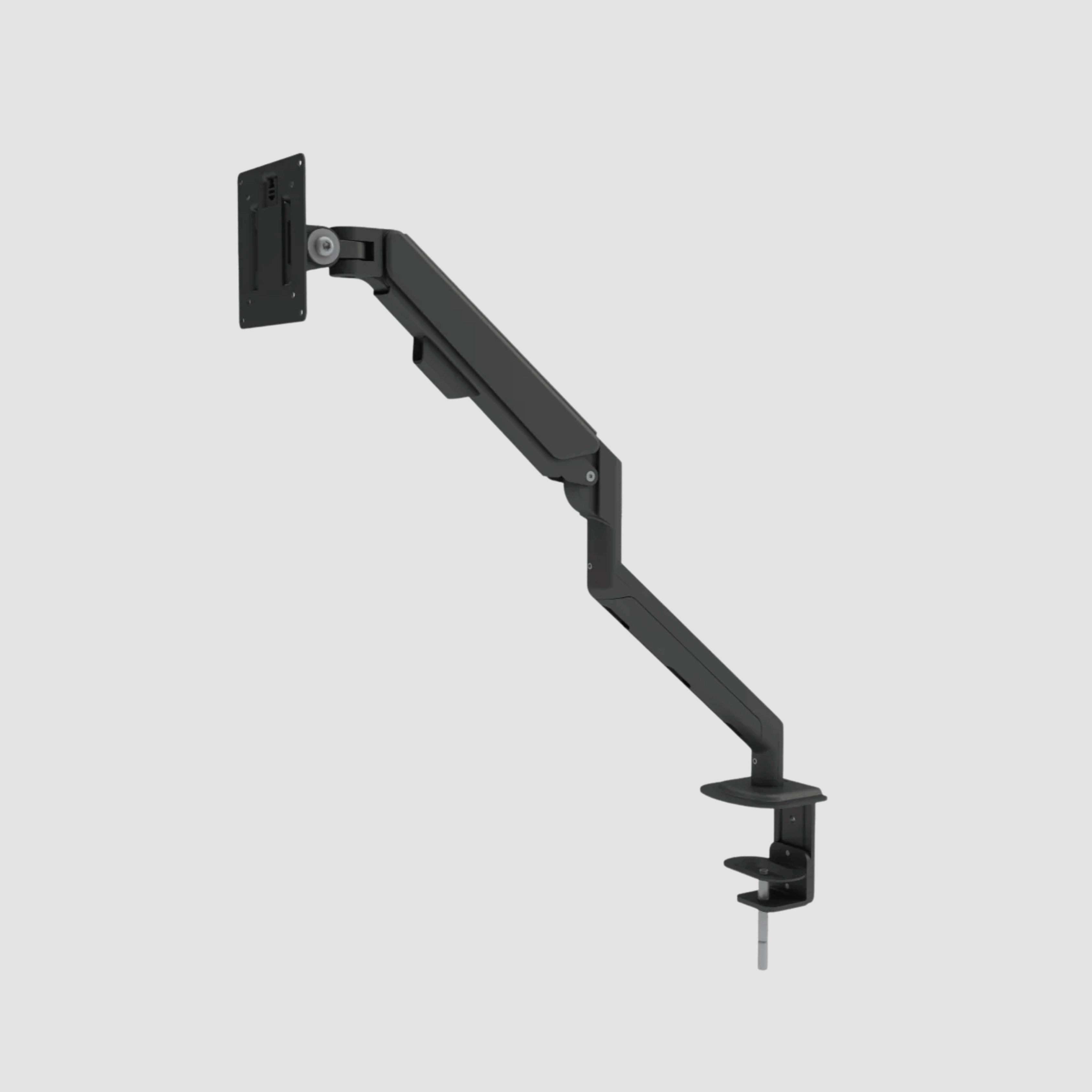
Most monitor arms use either a desk clamp or a grommet mount. Both can be safe, but they suit different desks and layouts.
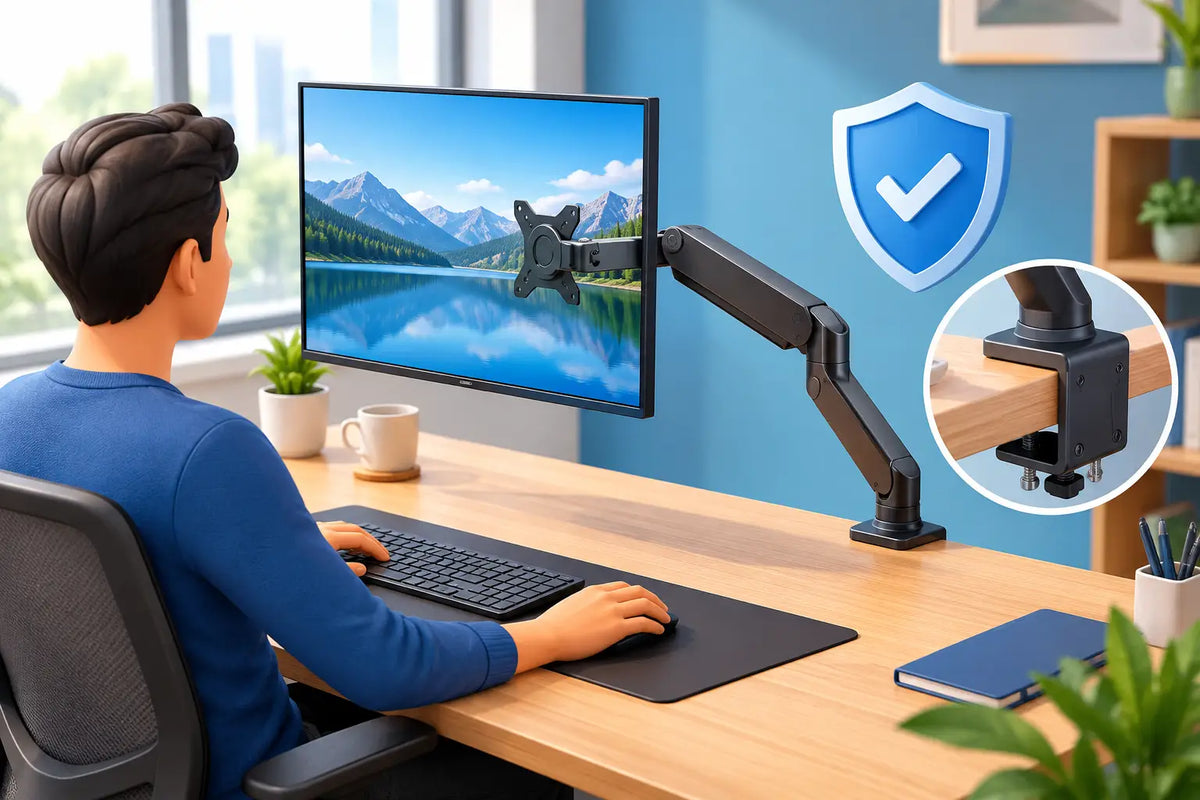
A clamp mount grips the rear edge of the desktop. It is simple to fit, does not require drilling and makes later changes easy. For a solid oak desk, choose a flat, unobstructed section of the rear edge where the clamp’s upper and lower pads can sit fully against the wood. Avoid mounting over a rounded, live edge or a section interrupted by an under-desk cable tray, frame component or bevel.
A grommet mount passes through a purpose-made cable hole and is tightened from below. Because it sandwiches the desktop between broad mounting surfaces, it can be particularly secure for heavier screens or dual-monitor arrangements. It also creates a cleaner visual line when cable management is part of the desk design.
Neither option is automatically better. A clamp is often ideal for a single monitor and a clean, flexible setup. A grommet mount can be the more confident choice when the display is large, the arm reaches far forward, or the setup will remain in one position for years. Follow the arm manufacturer’s requirements for desktop thickness and hole diameter rather than assuming every mount fits every desk.
Protect the oak without compromising the mount
Natural oak earns its character over time, and a monitor arm should sit with respect for the material. Most quality clamps include protective pads. Confirm they are clean and correctly positioned before tightening. Grit trapped under a pad can mark any desk surface, while an uneven pad reduces contact.
Do not add improvised soft material that makes the clamp unstable. A thick felt square, for example, may feel protective but can compress and allow the mount to shift. If additional protection is needed, use a thin, firm mounting plate designed to spread pressure while keeping both contact surfaces level.
Tighten the clamp until it is secure, not until it is forced. Excessive tightening does not make an arm safer. It can indent the wood, strain the clamp mechanism and make future adjustment difficult. A properly installed arm should not twist or slide during normal screen movement, but the desk should never be crushed to achieve that result.
Standing desks add one extra consideration
A height-adjustable desk introduces movement, which is exactly why cable routing and balance matter. The arm itself does not become unsafe when the desk rises or lowers. However, cables that are pulled tight can tug at the monitor, the arm or connected equipment as the desk travels.
Route cables with enough length for the desk’s full height range. Lower and raise the desk slowly the first few times while watching the cable path from screen to floor. The cables should form a controlled loop, not hang under tension or catch on drawers, wall fittings or the desk frame.
Pay attention to desk stability at your chosen working height as well. A well-built standing desk frame is designed to carry the desktop and its working load, but an extended monitor arm shifts some visual and physical mass forward. Keep very heavy screens close to the rear of the desk where possible, and avoid leaning heavily on the display when adjusting it.
Installation habits that prevent most problems
The safest setup is usually the one installed slowly. Read the arm instructions before opening the mounting hardware, especially where the gas spring tension needs adjusting. A screen that suddenly rises or drops during setup is rarely a product fault - it is often an arm tensioned for a different monitor weight.
For a reliable installation, follow these checks:
- Confirm the monitor’s weight, VESA pattern and the arm’s per-screen capacity.
- Choose a flat mounting area with full contact above and below the desktop.
- Fit the arm before attaching the monitor, then secure the VESA plate and safety lock.
- Test tilt, rotation and extension with one hand supporting the screen at first.
- Raise and lower the desk through its full range after routing the cables.
When a monitor arm is not the right choice
There are situations where a monitor stand is the better solution. If the desk edge is too thin, damaged, deeply rounded or blocked underneath, a clamp should not be forced into service. Likewise, an unusually heavy professional display may need a specialist heavy-duty arm or a fixed stand rather than a standard gas-spring model.
A monitor arm also suits people who adjust their screen position regularly. If your monitor will remain in one low, fixed position and you prefer a more furniture-like appearance, a simple solid desk stand may be enough. Good ergonomics is not about adding hardware for its own sake. It is about choosing the support that lets the screen sit comfortably at eye level while leaving the desk useful for the work you do.
A small inspection is part of long-term care
After the first week, check that the clamp remains firm, the VESA plate is locked and the arm moves as intended. Recheck after moving the desk, changing monitors or reorganising cables. Over time, wipe dust from the joints and mounting area, and look for any change in the arm’s position when the monitor is left extended.
This is not a demanding maintenance routine. It is simply the same considered care you would give a quality chair, an oak surface or any object built to serve you for years. A monitor arm should feel quiet, stable and almost invisible in daily use.
Choose an arm with honest capacity, mount it with patience, and let the oak desk do what real wood does best: provide a strong, lasting foundation for work that matters.

Hinterlasse einen Kommentar
Diese Website ist durch hCaptcha geschützt und es gelten die allgemeinen Geschäftsbedingungen und Datenschutzbestimmungen von hCaptcha.